
A sleek YouTube downloader
built on top of yt-dlp
Clean interactive selector, smoother CLI UX, safer non-YouTube warnings, theme support, resume-friendly downloads, and a nicer YouTube Music audio flow.
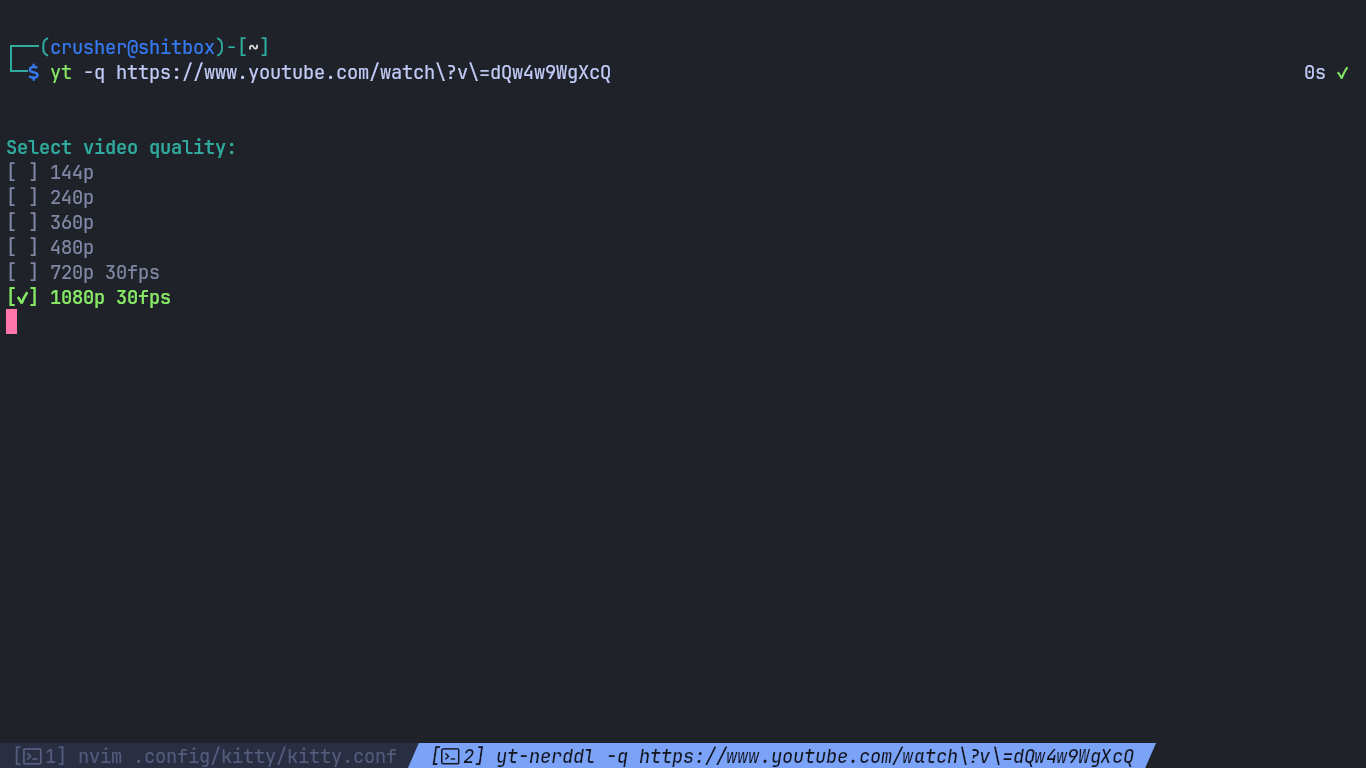
Clean interactive selector
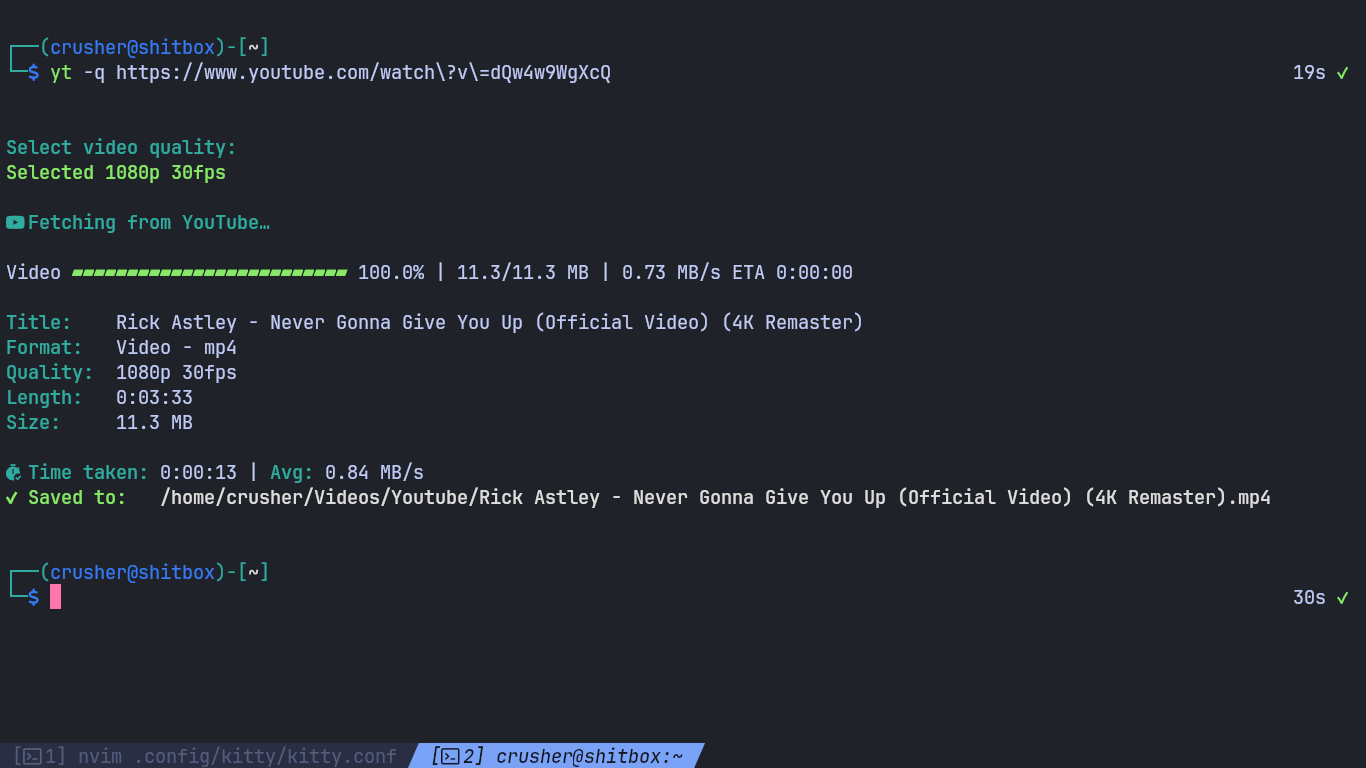
Deno-style progress bar
Minimal CLI UX without the junk drawer feeling
Tested only for YouTube and YouTube Music.
Other sites are passed through yt-dlp and remain at-your-own-risk territory.
Preview
Click any screenshot to open the lightbox carousel. Keyboard users can hit
Esc, X, or Q to close it; arrow keys
move left/right. On touch screens, swipe left/right to move and swipe down to exit.
Heads up: this tool is only tested on
YouTube and YouTube Music.
Other URLs may still work through yt-dlp, but they are
untested, may behave differently, and may even just be
arbitrary hosted files instead of actual media pages.
Current Version: v2026.03.25
Features
Designed with intentionality: a robust feature set curated for utility, eliminating unnecessary complexity to maintain a streamlined command-line interface.
Installation
Requirements: Python 3.11+, yt-dlp,
ffmpeg, and a Nerd Font if you want the icons.
git clone https://github.com/TheAnonymousCrusher/yt-nerddl.git
cd yt-nerddl
python3 -m pip install -r requirements.txt
chmod +x yt-nerddl.py
sudo cp yt-nerddl.py /usr/local/bin/yt-nerddl
If you prefer local execution, just run
python yt-nerddl.py [options] <url> from the repo
instead of copying it into /usr/local/bin.
1. Install Python 3.11+ and make sure FFmpeg is in your PATH.
git clone https://github.com/TheAnonymousCrusher/yt-nerddl.git
cd yt-nerddl
pip install -r requirements.txt
python yt-nerddl.py [options] <url>
Use Windows Terminal + a Nerd Font for the cleanest icon rendering.
Beta/unstable versions may appear in AUR.
yay -S yt-nerddl
(or any other AUR helper, like paru or pikaur)
Usage
The flow stays pretty straight-up: pick audio or video, optionally open the selector,
let the config handle defaults, and use --yes when you want it quiet.
yt-nerddl [options] <url>
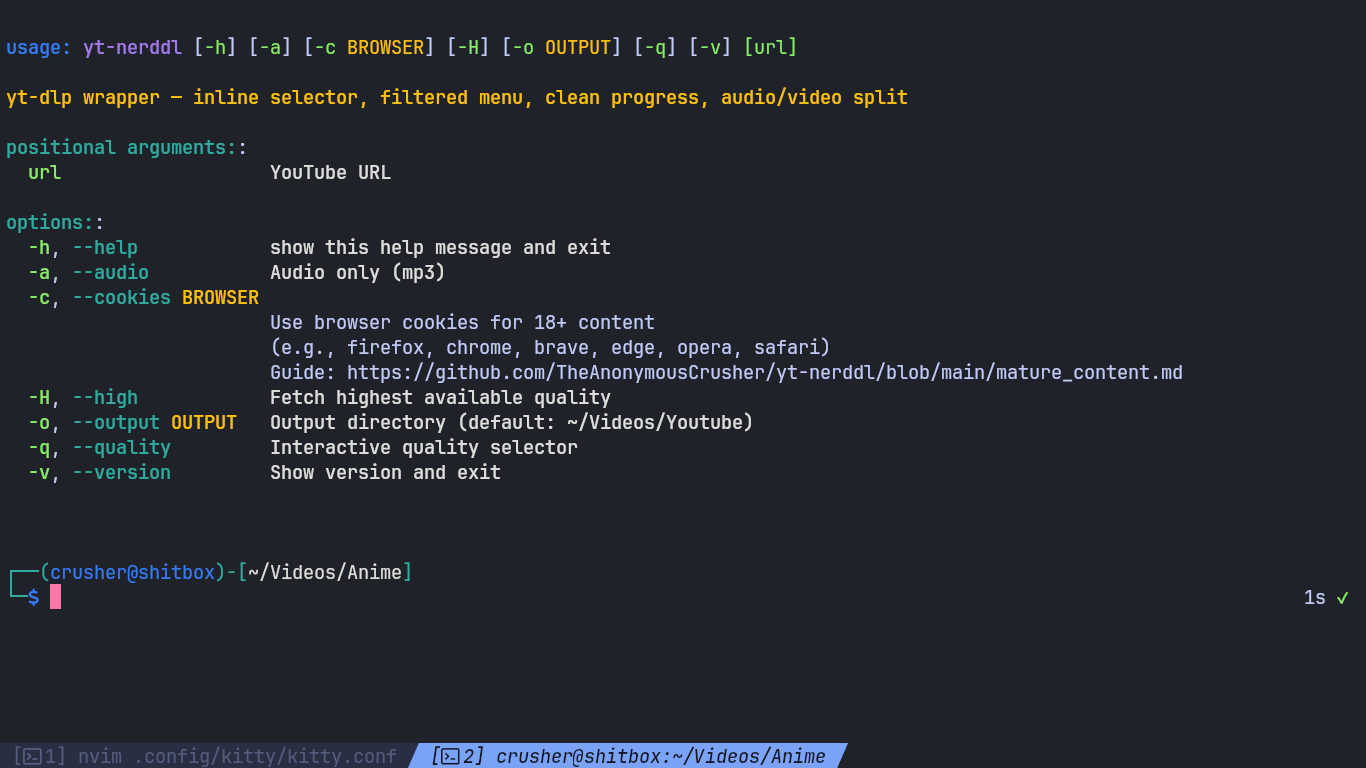
Options
| Option | Description |
|---|---|
-a, --audio | Download audio only and convert to MP3 |
--video | Force video mode |
-q, --quality | Open the interactive quality / bitrate selector |
-H, --high | Download the highest available video quality |
--no-playlist | Force single-video behavior on playlist URLs |
-c, --cookies <browser> | Use browser cookies for age-restricted or logged-in content |
--no-cookies | Disable cookies even if config enables them |
-o, --output <dir> | Override the output directory |
-y, --yes | Skip prompts/menus and use defaults/config; existing files are kept by default |
--debug | Print service detection, extractor, selected format selector, and yt-dlp options |
--theme <name> | Theme override for this run |
--theme-preview | List installed themes and show a preview |
--no-icons | Disable icons for this run |
--no-colors | Disable ANSI colors for this run |
--config <path> | Use a custom config.toml path |
--init-config | Create config + bundled themes and exit |
-U, --update / --upgrade | Self-update from GitHub |
-v, --version | Show version and exit |
Examples
Interactive selector
yt-nerddl -q https://www.youtube.com/watch?v=xxxx
Arrow keys when possible, numeric fallback when the terminal is basic.
Ignore playlist baggage
yt-nerddl --no-playlist https://www.youtube.com/watch?v=xxxx&list=yyyy
Useful when you only want the current video and not the whole list.
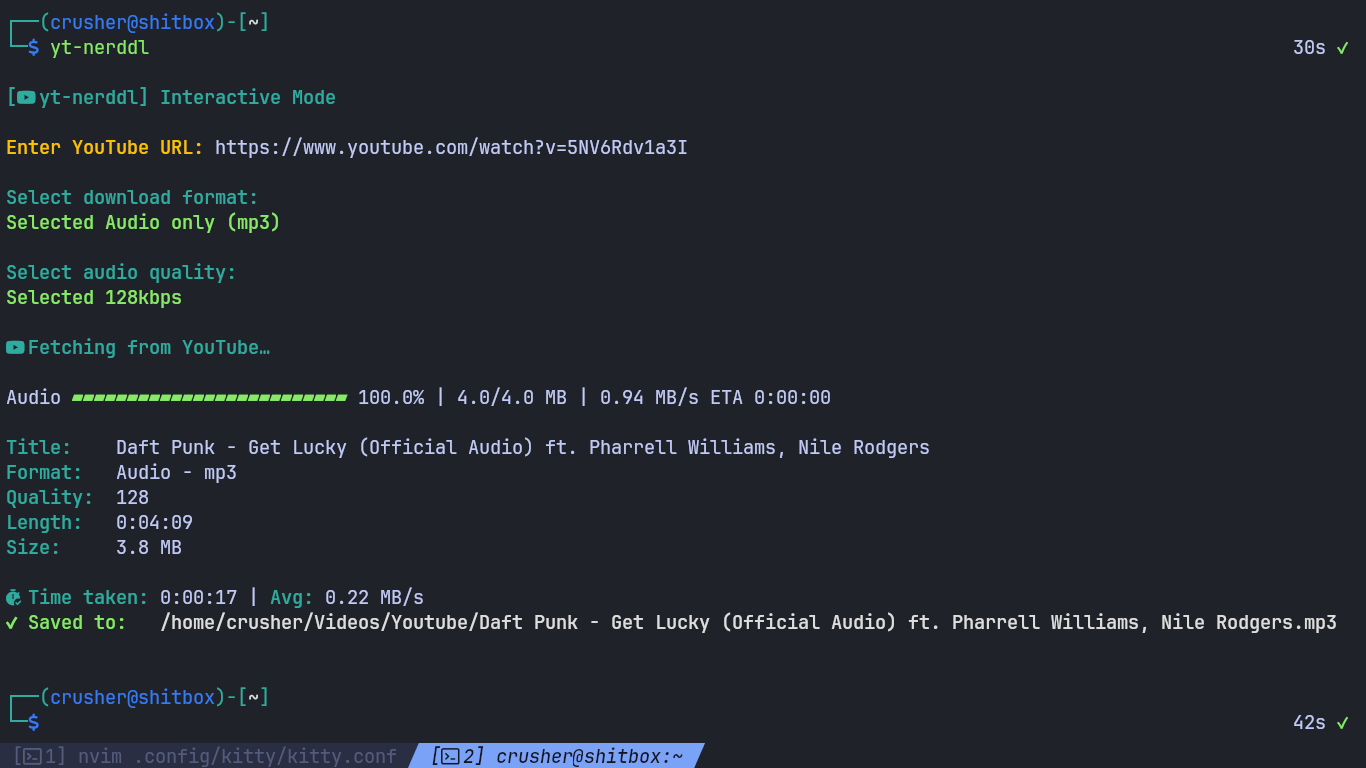
YouTube Music audio
yt-nerddl -a -c firefox https://music.youtube.com/watch?v=xxxx
Artist/track naming, metadata, and cover-art embedding when the data is there.
Quiet + debug together
yt-nerddl --debug -y https://youtu.be/xxxx
Good for seeing what the tool picked and debugging niche issues.
Important behavior
Output folders
Default YouTube / YouTube Music downloads go to
~/Videos/Youtube. If the output path is still untouched,
non-YouTube URLs now fall back to ~/Videos instead.
Existing files
Single downloads now do an existing-file check. If the final
target is already there, the app asks before overwriting. With
--yes, it keeps the existing file by default.
YouTube Music audio
Audio downloads try to embed metadata + cover art, prefer square covers
when available, and rename to Artist - Track.mp3 when the
metadata is clean enough.
Non-YouTube URLs
Those URLs still go through yt-dlp’s generic support and remain untested here. The tool warns when the page looks generic / non-media, and weird direct files now label progress by extension instead of pretending everything is just Video/Audio.
Configuration
yt-nerddl auto-creates a config on first run. Themes, output path,
retries, progress glyphs, and playlist behavior all live there.
# TIP:
#   - Want no fancy glyphs? set [ui] icons = false
#   - Want no ANSI colors?  set [ui] colors = false

[downloads]
mode = "video"                 # "video" | "audio"
quality = "1080p30"            # video preset key (see README)
audio_bitrate = 320            # 320 | 256 | 192 | 128 | "best"
output_directory = "~/Videos/Youtube"  # default for YouTube / YouTube Music; non-YouTube falls back to ~/Videos if unchanged

[behavior]
interactive = false
playlist = "ask"               # "ask" | "video" | "playlist" (CLI: --no-playlist forces single-video)
check_internet = true
assume_yes = false             # if true: never prompt; use defaults/config

[cookies]
enabled = false
browser = "firefox"            # firefox | chrome | brave | edge | opera | safari

[network]
continuedl = true              # resume partial downloads (.part)
retries = 10                   # network retries
fragment_retries = 10          # retries for fragmented streams

[ui]
theme = "default"              # default | catppuccin | gruvbox | nord
progress_bar_width = 25
progress_fill = ""             # override fill glyph ("" = theme default)
progress_empty = ""            # override empty glyph ("" = theme default)
icons = true
colors = true
Theme system
Bundled themes: default, catppuccin,
gruvbox, and nord. Use
--theme for a one-off override or
--theme-preview to preview what’s installed.
Network defaults
continuedl, retries, and
fragment_retries are enabled out of the box to be less
annoying on shaky connections.
Help menu
The -h output now includes tested-site notes, config path info,
examples, and a direct link to the mature content guide.
Changelog
Loading live changelog from the GitHub mirror…
Mature / Private / Age-Restricted Content
If YouTube wants a logged-in session, use -c to extract cookies
from the browser where you are already signed in.
Supported browsers
yt-nerddl -q -c firefox https://www.youtube.com/watch?v=xxxx
Troubleshooting
Database is locked
That usually means the browser is still running and actively writing to its cookie database. Close it fully, then try again.
Sign in to confirm your age
Make sure you selected the exact browser where the account is already logged in and can watch the video normally.